
Suthra Punjab Bill Check Online
Suthra Punjab bill check — open the Bill Check page at suthra.punjab.gov.pk/bill-check.php and enter the 20-digit PSID printed on your bill. You will see the billing month, amount due and due date. Never enter PSID on any unofficial website.
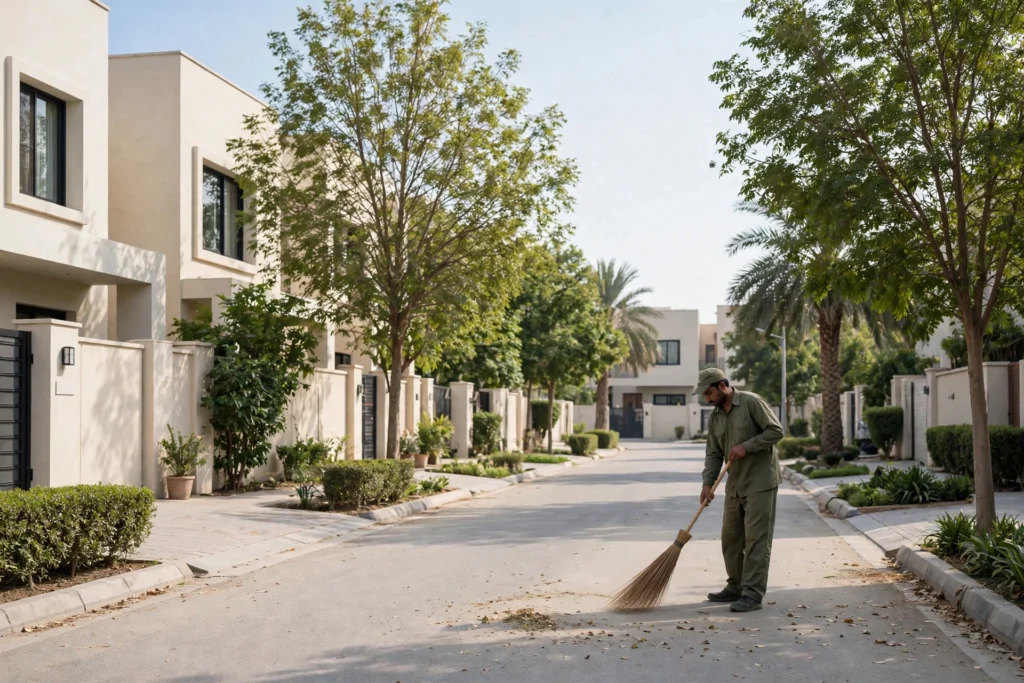
Suthra Punjab is the Punjab government's province-wide sanitation programme — door-to-door waste collection, street sweeping, drain cleaning and waste disposal. Since 1 July 2025, property owners in Punjab pay a monthly sanitation fee (also called the cleanliness fee) for this service. The fee is billed separately. It is not added to your electricity, gas or water bill. This guide explains how to check your Suthra Punjab bill online, where to find the number you need, what the fee is, how to pay it, and what to do if your bill is missing or wrong. Last updated: 21 November 2026. Fee rates can be revised by the authorities. Your printed bill is always the final word on what you owe — if a figure on this page and your bill disagree, follow your bill.
How to Check Your Suthra Punjab Bill Online (Step-by-Step)
You need only one thing: the 20-digit PSID (Payment Slip ID) printed on your current Suthra Punjab bill. You do not need your CNIC, mobile number or consumer number to check the bill.
- Keep your printed Suthra Punjab bill (or a clear photo of it) in front of you. Find the 20-digit PSID on it — see the next section if you are not sure where it is.
- Go to the official Bill Check page: https://suthra.punjab.gov.pk/bill-check.php (official portal: https://suthra.punjab.gov.pk).
- Enter the 20-digit PSID exactly as printed — all 20 digits. Spaces or dashes are ignored automatically. One wrong digit will show nothing, or someone else's record.
- View your bill details. The portal shows the billing month, the amount due, the due date and your service category (for example, residential or commercial, and the property size).
- Save or print the result as a record, especially if you are about to pay. If you pay online, keep the payment receipt or SMS until your next bill shows a zero balance — payments can take 24–48 hours to settle.
Alternative ways to verify without the website: scan the QR code printed on your bill, which opens the official bill-verification page (suthra.punjab.gov.pk/verify-bill); or call the helpline 1139 (toll-free).
Important: this website does not check bills and does not collect your PSID or CNIC. Always enter your PSID only on the official government portal linked above.
Where to Find Your 20-Digit PSID
The PSID is printed on the paper Suthra Punjab bill that is delivered to your door. Look for a field labelled PSID, Payment Slip ID or consumer reference. It is a 20-digit number with no spaces or dashes. Your printed bill also carries: Bill No. and a Reference No. (a 20-digit number — on most bills this is the PSID itself); Billing month and due date; Amount due and the amount after the due date (including the 10% late surcharge); Arrears and a month-by-month account history; A QR code for verification on the official portal. If you have paid before, the PSID also appears on your ePay Punjab payment receipt. If you have lost the bill and have no earlier receipt, you cannot check the bill online — call 1139 or visit your local waste management company (WMC) or municipal office with your CNIC and property documents.
20-digit PSID vs 17/18-digit PSID — what is the difference?
Printed-bill PSID = 20 digits. This is the number printed on your Suthra Punjab paper bill, and it is the number the official Bill Check page asks for. ePay-generated 1Bill PSID = 17 or 18 digits. When a bill is generated or fetched through ePay Punjab / 1Bill, the system can issue a shorter 17- or 18-digit PSID for that payment. It is a different identifier for the same bill, used inside the payment system. Use the 20-digit PSID from your printed bill for the Bill Check page. If a payment app asks for a 1Bill PSID, use the number that app shows you — do not guess, and do not shorten or lengthen the 20-digit number yourself.
What Your Bill Shows
After you enter your PSID on the official portal, you will see: Billing period / month — the month the fee covers; Amount due — the fee for that month; Due date — pay by this date to avoid the surcharge; Service category — residential or commercial, and the property type/size the fee is based on; Arrears / history — any unpaid amounts from earlier months. The printed bill shows the same information, plus the amount payable after the due date. A 10% surcharge applies after the due date. For example, a Rs. 420 bill becomes Rs. 462 after the due date, and a Rs. 200 bill becomes Rs. 220.
Suthra Punjab Fee Rates 2026 (Full Tariff Table)
Monthly fee — re-checked 21 November 2026. Urban rates below are the approved tariffs in the Government of Punjab (Local Government & Community Development Department) notification of 21 September 2026, effective 1 July 2026, under which the Excise, Taxation & Narcotics Control Department collects the fee. Rural rates are not settled: the Suthra Punjab programme site (suthrapunjab.gop.pk) lists lower rural rates than the figures reported by The News (30 August 2026, quoting the Suthra Punjab Authority) that this page follows. The disagreement is flagged below — your bill is the final word for a rural property.
Residential — urban areas (per month)
| Property size | Monthly fee |
|---|---|
| Up to 5 marla | Rs. 300 |
| 5–10 marla | Rs. 500 |
| 10–20 marla (1 kanal) | Rs. 1,000 |
| 20–40 marla (2 kanal) | Rs. 2,000 |
| Above 40 marla | Rs. 5,000 |
Commercial (per month)
| Business size | Monthly fee |
|---|---|
| Small | Rs. 500 |
| Medium | Rs. 1,000 |
| Large | Rs. 3,000 |
Residential — rural areas (per month)
| Property size | Monthly fee |
|---|---|
| Up to 5 marla | Rs. 200 |
| 5–10 marla | Rs. 400 |
| 10–20 marla | Rs. 700 |
| Above 20 marla | Higher slabs apply — confirm on your bill |
Please note: sources disagree on the rural slabs above 5 marla. The figures here follow reporting by The News (30 August 2026, quoting the Suthra Punjab Authority). Other guides list lower rural rates. Confirm the rural rate on your own bill — your bill is the final word.
Worked examples
- A 5-marla house in a city pays Rs. 300 per month, or Rs. 3,600 per year.
- A 10-marla house in a city pays Rs. 500 per month, or Rs. 6,000 per year.
- A 1-kanal (20-marla) house in a city pays Rs. 1,000 per month, or Rs. 12,000 per year.
- A small shop pays Rs. 500 per month.
Late payment: a 10% surcharge is added after the due date. Bills warn of legal action after 3 months of non-payment. 2026 collection change: from October 2026, the Excise, Taxation & Narcotics Control Department took over collection of the fee. Bills for July–September 2026 were issued as consolidated 3-month bills alongside property tax. Since October 2026, clearing the sanitation fee is required before a property sale or purchase NOC is issued.
How to Pay Your Suthra Punjab Bill Online
You pay with the same 20-digit PSID everywhere — on ePay Punjab, in your bank app, or in a wallet app. There are no cash payments to field staff: collection is 100% cashless, and manual cash collection by sanitation staff is strictly prohibited. Never hand cash to anyone for this fee. Payment settles in 24–48 hours. Keep your receipt or SMS until your next bill shows a zero balance, then re-check with your PSID to confirm the payment went through.
ePay Punjab App or Website
- Open the ePay Punjab app or website and register with your mobile number and CNIC.
- Select Local Government (LG&CD) and then 'Suthra Punjab Sanitation Fee'.
- Enter your reference / consumer ID (your PSID) to fetch the bill.
- Check the amount and due date, then pay with your bank account, debit card or wallet.
- Download and save the receipt.
There are zero transaction charges when you pay through ePay.
JazzCash
- Open the JazzCash app.
- Go to Government Payments (or Bill Payments) and select ePay Punjab.
- Enter your 20-digit PSID.
- Confirm the amount and pay. Save the SMS receipt.
You can also pay by USSD: dial *786#, select Pay Bills, and follow the prompts.
EasyPaisa
- Open the EasyPaisa app.
- Go to Government Payments and select ePay Punjab.
- Enter your 20-digit PSID.
- Confirm the amount and pay. Save the SMS receipt.
Mobile Banking or Internet Banking (via 1Bill)
- Open your bank's mobile app or internet banking (HBL, UBL, Meezan, Allied, MCB, Bank Alfalah, NBP, Bank of Punjab and most other banks support this).
- Go to Bill Payment / Government Payments / 1Bill.
- Use the 1Bill identifier 100057 for Punjab ePay services and enter your PSID.
- Confirm the amount and pay. Save the receipt.
1-Link ATM
- Go to any 1-Link ATM.
- Select Bill Payment, then Government Fees.
- Enter your PSID, confirm the amount and pay. Keep the printed slip.
Bank of Punjab Branch (over the counter)
Take your PSID to any Bank of Punjab branch (or a participating bank) and pay over the counter. Keep the stamped receipt.
Suthra Punjab Duplicate Bill — Download / Check Again
There is no separate 'duplicate bill' download on the official portal. Your duplicate bill is the same record, fetched again with your PSID: 1. Use the PSID from a previous bill or an earlier payment receipt — the PSID stays the same for your property. 2. Enter it on the official Bill Check page (https://suthra.punjab.gov.pk/bill-check.php) to see the current bill again. 3. Or scan the QR code on any earlier bill, which opens the official verification page. 4. If you have no earlier bill and no receipt, call 1139 or visit your local WMC / municipal office with your CNIC and property documents. Not receiving a bill does not cancel the charge. If no bill has arrived at your address, the fee is still due, and the 10% late surcharge can still apply. Check with your PSID or call 1139 rather than waiting.
Bill Not Found or Wrong Amount? (Troubleshooting)
Nothing appears when you enter the PSID
- Re-check the PSID digit by digit — one wrong digit shows nothing. Copy it from the printed bill, not from memory.
- The current month's bill may not have been generated yet. Try again in a few days.
- Your property or area may not be in the billing system yet. Call 1139 to confirm whether your area is covered.
The amount looks wrong
- Compare the category on the bill with your actual property — plot size for a house, or business type and size for a shop. A wrong category is the most common cause of a wrong amount.
- Check the arrears line. A bill that looks too high often includes unpaid amounts from earlier months plus the 10% surcharge.
- If the category is wrong, file a billing complaint (see the complaints section below) — do not just pay the wrong amount and hope it is fixed.
The name on the bill is wrong
This usually happens after a property sale or a change of tenant. It is a record-correction complaint, not a payment problem. Raise it with your local WMC / municipal office, or call 1139, with your CNIC and property documents.
No bill received at all
- Check with your PSID from a previous bill or receipt, or call 1139.
- Ask neighbours whether they received bills — if the whole street did not, it may be a delivery problem in your area.
- Remember: no bill does not mean no charge. The fee keeps accruing, and the surcharge applies after the due date.
Exemptions — Who Does Not Have to Pay
Exemption is not automatic — you must apply for it, and the decision is made by your local office. These are the categories reported in official and press sources:
- Vacant plots: a plot with no construction and no occupancy can be exempt. Apply with Form-A at your municipal office, WMC office or excise office, with your CNIC, ownership deed, property tax receipt and photos of the plot. Some guides report that a Rs. 100 stamp-paper affidavit is also required — confirm this at your local office.
- Informal settlements / slum areas: reported as exempt.
- Places of worship, charitable orphanages, and some government schools and health facilities: reported as exempt.
- BISP / PSPA beneficiaries, registered widows and destitute households in homes up to 5 marla (Grade-C): a 50–100% waiver has been reported for these households. This is reported, not officially confirmed — verify at your local office before relying on it.
- Is a 3-marla house exempt? Not confirmed — and the current tariff says otherwise. One December 2025 post reported homes up to 3 marla as exempt. That is still unverified, and the September 2026 notification charges every urban home up to 5 marla Rs 300 a month, with no exemption band. Informal settlements and slum areas are reported as generally exempt (ProPakistani, 5 October 2026) — that is an area-based exemption, not a size-based one. Do not treat a 3-marla house as exempt; confirm at your local office with your CNIC and property documents. The reported "50–100% waiver for up to 5 marla (Grade-C)" homes is likewise reported, not officially confirmed.
If you believe you qualify, apply in person at your local office with your CNIC and property documents. Keep a copy of your application and any receipt number you are given.
Complaints & Helpline
- Helpline: 1139 (toll-free). You can report a missing bill, a wrong amount, a wrong category, or a missed collection, and you should receive a 6-digit ticket ID by SMS.
- Official portal complaint form: use the Bills Related Complaints form on the official Suthra Punjab portal (https://suthra.punjab.gov.pk).
- Suthra Punjab Shehri app: the citizen app (Google Play) accepts geo-tagged complaints with photos, and shows duty rosters, collection schedules and feedback. The app does not do bill viewing or payment — bill check is web-only.
- Wrong-category appeals: submit a Billing Adjustment Form at your WMC office with your registry / Fard, CNIC and site photos. The case goes to the District Revenue Officer / Cleanliness Fee Review Panel, and an inspector visit is reported to take place within 7 working days.
What Is Suthra Punjab? (Short Background)
Suthra Punjab is the Punjab government's flagship sanitation programme, launched in December 2024 by Chief Minister Maryam Nawaz. It is run by the Local Government & Community Development (LG&CD) Department, Punjab, through the Suthra Punjab Authority and district Waste Management Companies (LWMC, RWMC, MWMC, GWMC, FWMC and others). The portal was built by PITB, and billing and payments run through the Bank of Punjab and ePay Punjab. The programme covers 41 districts and 146 tehsils, serving more than 138 million residents, with about 180,000 sanitation workers and 40,000 vehicles collecting over 55,000 tons of waste a day. The sanitation fee (the 'garbage tax') started on 1 July 2025. From October 2026, the Excise Department took over collection, and clearing the fee became a requirement for a property sale or purchase NOC.
Important Warnings
- Never type your PSID or CNIC into an unofficial website. The official Bill Check page is the only place to enter your PSID. Some third-party sites show their own 'check your bill' form — do not use it. A genuine guide never needs your PSID.
- This page collects nothing. Pakistan Bill Check does not check bills, store PSIDs, or take payments for Suthra Punjab. It only guides you to the official portal.
- Never pay cash to sanitation staff. Collection is 100% cashless. Pay only through ePay Punjab, a bank, an ATM, or a wallet app, and keep the receipt.
- One wrong digit is enough. Always copy the PSID from the printed bill. A single wrong digit shows nothing — or someone else's record.
- Your bill is the final word. If any rate, amount or date on this page differs from your bill, follow your bill.
Frequently Asked Questions
How can I check my Suthra Punjab bill online?
Open the official Bill Check page at suthra.punjab.gov.pk/bill-check.php and enter the 20-digit PSID printed on your bill. You will see the billing month, amount due, due date and category.
What is the PSID?
The PSID (Payment Slip ID) is a 20-digit number printed on your Suthra Punjab bill. It is the only number you need to check your bill and to pay it.
Can I check my Suthra Punjab bill with my CNIC?
No. The official portal does not offer a CNIC lookup. Any website that asks for your CNIC to 'show your bill' is not trustworthy — do not enter your CNIC there.
What is the fee for a 5-marla house?
In an urban area, a house up to 5 marla pays Rs. 300 per month. In a rural area, the reported fee is Rs. 200 per month — confirm the rural rate on your own bill.
Can I pay my Suthra Punjab bill through JazzCash or EasyPaisa?
Yes. In JazzCash or EasyPaisa, go to Government Payments, select ePay Punjab, and enter your 20-digit PSID. You can also pay through the ePay Punjab app, your bank app (1Bill, identifier 100057), a 1-Link ATM, or a Bank of Punjab branch.
What if I never received a bill?
The fee is still due. Check with the PSID from a previous bill or payment receipt, or call the helpline 1139. Not receiving a bill does not cancel the charge.
How do I get a duplicate bill?
Enter your PSID from an earlier bill or receipt on the official Bill Check page to see the current bill again. If you have no earlier bill or receipt, call 1139 or visit your local WMC office.
What is the Suthra Punjab helpline number?
1139 (toll-free). You can report a missing bill, a wrong amount or a wrong category, and you should receive a 6-digit ticket ID by SMS.
Is cash payment allowed?
No. Collection is 100% cashless. Never pay cash to sanitation staff. Pay only through ePay Punjab, a bank, an ATM or a wallet app, and keep the receipt.
Who is exempt from the fee?
Vacant plots can be exempt on application (Form-A). Informal settlements, places of worship and charitable institutions are reported as exempt. Some BISP beneficiaries and widows in small homes may get a waiver — this is reported, not officially confirmed, so verify at your local office.
What happens if I do not pay?
A 10% surcharge is added after the due date. Bills warn of legal action after 3 months of non-payment. Since October 2026, clearing the fee is also required for a property sale or purchase NOC.
Is the Suthra Punjab fee included in my electricity bill?
No. It is a separate monthly sanitation fee, billed on its own. It is not added to your electricity, gas or water bill.
Other Punjab bills you can check
You can also check your other Punjab bills on the homepage, including LESCO bill check, MEPCO bill check, the electricity bill calculator, and online bill payment methods in Pakistan.
Sources
- Official Suthra Punjab portal
- Official Bill Check page
- Business Recorder — New mechanism for sanitation fee collection introduced
- Express Tribune — Excise gets go-ahead to collect garbage tax
- Express Tribune — Punjab begins garbage tax recovery
- ARY News — Excise dept to collect cleaning fees
- The News — Concerns over Suthra Punjab
- Government of Punjab, LG&CD Department notification, 21 September 2026 (sanitation-fee recovery assigned to Excise, effective 1 July 2026; urban tariffs as tabled). Suthra Punjab programme site, suthrapunjab.gop.pk — Revenue Model & Tariffs (rural tariffs as tabled). The News, 30 August 2026 — rural tariffs as quoted from the Suthra Punjab Authority. Suthra Punjab bill-check portal, suthra.punjab.gov.pk/bill-check.php — 20-digit PSID lookup; the portal publishes no fee table, so the tariff is verified against the notification and programme site, not the portal.
Fee table re-checked 21 November 2026.