What a digital or AMI meter changes
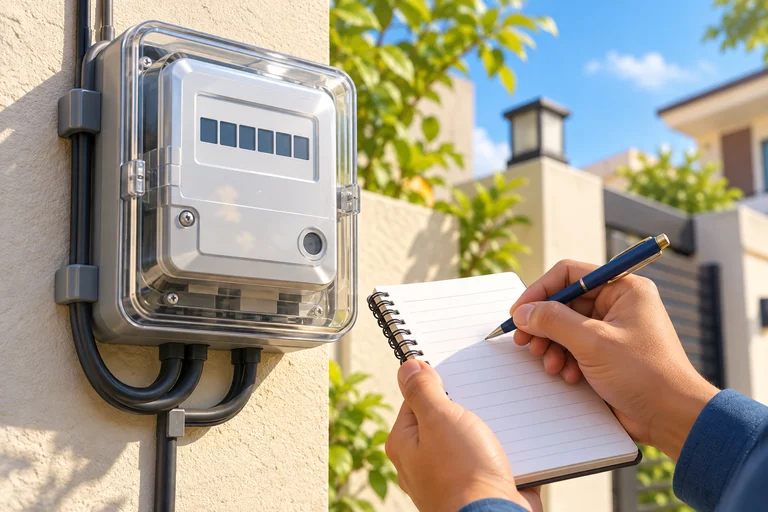
A digital meter can display multiple measured quantities. AMI refers to a wider metering and communication system, not a guarantee that every reading on your bill was transmitted successfully. The presence of a digital display alone does not confirm the communications status of a particular installation.
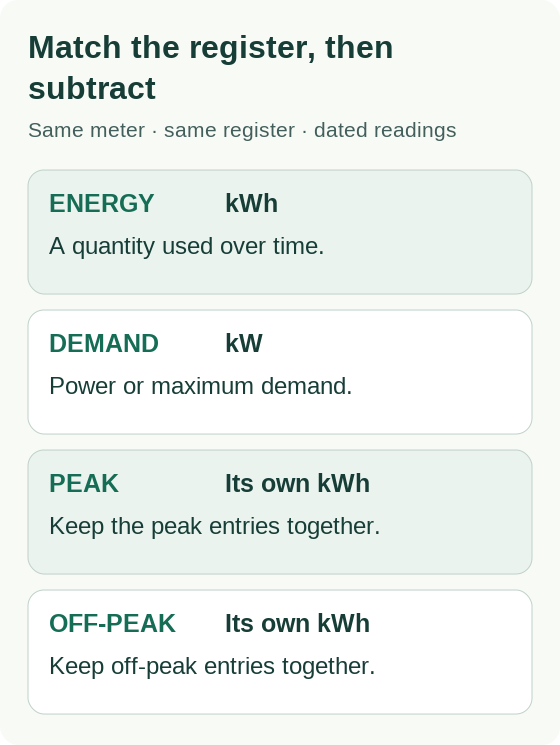
The useful first question is simpler: which value on the screen corresponds to the quantity you want to compare? Record its label and unit. Energy in kWh, demand in kW and voltage are different measurements.
Capture enough information to identify a reading
- The meter make/model and serial number, without opening the enclosure.
- The display label or register code alongside the value.
- The unit shown, such as kWh or kW.
- Date and time of your observation.
- The bill’s reading date and whether its meter identity matches.
A meter may cycle through screens. A photo of a number without its label can be ambiguous. If a code is unclear, use the exact model’s manual or ask the provider to identify it. A code list for another meter model may describe a different register.
Compare like with like
| Display or bill quantity | Avoid this mix-up |
|---|---|
| Import energy | Do not add export energy to it as though both were purchased consumption. |
| Peak / off-peak energy | Keep the two periods separate for a ToU calculation. |
| Demand / MDI | Do not treat kW as energy consumed in kWh. |
| Current cumulative reading | Do not compare it directly with a previous month’s billed units without subtracting the correct earlier reading. |
If a meter has been replaced or a register has rolled over, ordinary subtraction may not reconcile the period. Keep the replacement or correction record and request the utility’s explanation.
An ordinary reading example
This example assumes one unchanged register, matching dates and a multiplying factor of 1. It is not an AMI communications test and does not establish the correct account tariff. Use the reading worksheet if you want to see the subtraction with your own non-identifying readings.
If the bill has two energy registers
Keep a separate subtraction for each matching register. In this fictional example, peak changes from 1,200 to 1,240 kWh and off-peak changes from 3,400 to 3,510 kWh: the differences are 40 and 110 kWh. Their energy total is 150 kWh, but the two quantities stay separate when applying a ToU tariff.
| Matching register | Previous | Present | Difference |
|---|---|---|---|
| Peak energy (kWh) | 1,200 | 1,240 | 40 |
| Off-peak energy (kWh) | 3,400 | 3,510 | 110 |
With those readings separated, check how timing affects a ToU bill before comparing a time shift with an actual reduction in consumption.
Adding the present cumulative readings gives 4,750, which is not this period’s 150 kWh. If a bill also displays a total-energy register, do not add that total to its peak/off-peak components a second time. Ask the provider to identify an ambiguous display label before combining values.
Report the evidence without attempting a repair
For a reading dispute, state which register and billing period appear inconsistent, and keep the photograph and relevant bill. Send identifying account evidence through the official utility complaint route. Do not open the meter box, break a seal or attempt to reconfigure it.
For an outage or damaged wire, use the emergency/service contact from a safe location. Smart-meter terminology should not delay reporting a dangerous fault.
Questions you may have
Will every smart meter prevent overbilling?
No such guarantee is made. Account configuration, billing dates, communications and corrections still need checking.
Can I use another meter model’s display-code list?
Not reliably. Match the exact device documentation or ask the provider to identify the register.
Sources & scope
The sources below explain the service or rule discussed on this page. Use your provider’s records for an individual account.
- NEPRA: Consumer Service Manual and technical regulationsPrimary-source framework for provider metering and consumer service; meter-model register codes must come from its own documentation.
- PITC CCMSOfficial electricity complaint route for an account-specific metering query.